
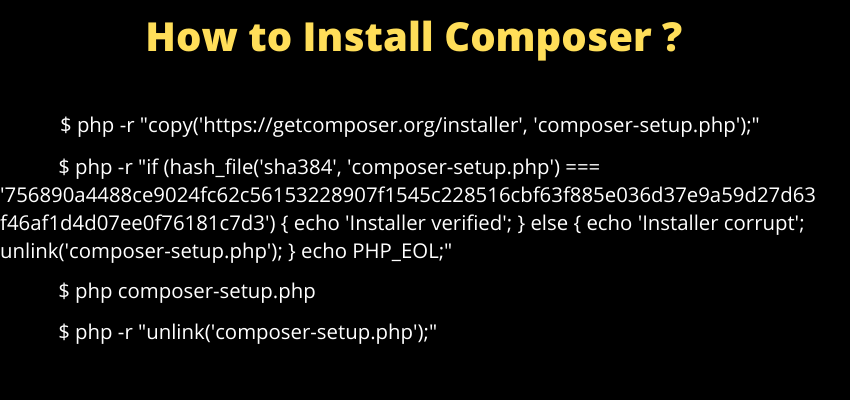
Composer is PHP's standard dependency manager — it's what Laravel (and virtually every modern PHP project) uses to install and manage third-party packages, resolving each project's dependencies independently rather than globally across a whole machine.
Why Composer is essential for a Laravel project specifically
Laravel itself is installed and updated as a Composer package, and the framework's core architecture assumes Composer's autoloading is in place — a Laravel project genuinely cannot run without Composer having been used at least once, to generate the vendor/ directory and its autoload files.
Installing Composer on Linux/macOS
curl -sS https://getcomposer.org/installer | php
sudo mv composer.phar /usr/local/bin/composer
composer --versionMoving the downloaded composer.phar file into a directory already on the system's PATH (like /usr/local/bin) is what makes the plain composer command available globally, rather than needing to reference the full .phar file path every time.
Installing Composer on Windows
The official Composer website provides a dedicated Composer-Setup.exe installer for Windows, which handles adding Composer to the system PATH automatically — generally simpler than the manual curl-based install used on Linux/macOS.
Installing project dependencies
composer installcomposer install reads the project's composer.lock file (if present) and installs the exact versions specified there — this is what guarantees every developer on a team, and the production server, all get the identical package versions, not just versions matching the looser constraints in composer.json.
Adding a new package
composer require guzzlehttp/guzzleRemoving a package
composer remove guzzlehttp/guzzleUpdating packages to their latest allowed versions
composer updatecomposer update re-resolves every dependency according to composer.json's version constraints and rewrites composer.lock with the new versions — genuinely different from composer install, which never changes what versions are actually installed, only ensures they match whatever the lock file already specifies.
Why composer.lock should be committed to version control
Committing composer.lock (unlike a typical .gitignored build artifact) is what ensures every environment — every developer's machine and the production server — installs the exact same package versions via composer install, avoiding the "works on my machine" class of bug caused by two environments silently running different versions of the same dependency.
Composer's per-project isolation
Unlike some other package managers that install packages globally by default, Composer resolves and installs dependencies into each individual project's own vendor/ directory — this is exactly why two separate Laravel projects on the same machine can run entirely different, even mutually incompatible, versions of the same underlying package without any conflict between them.