
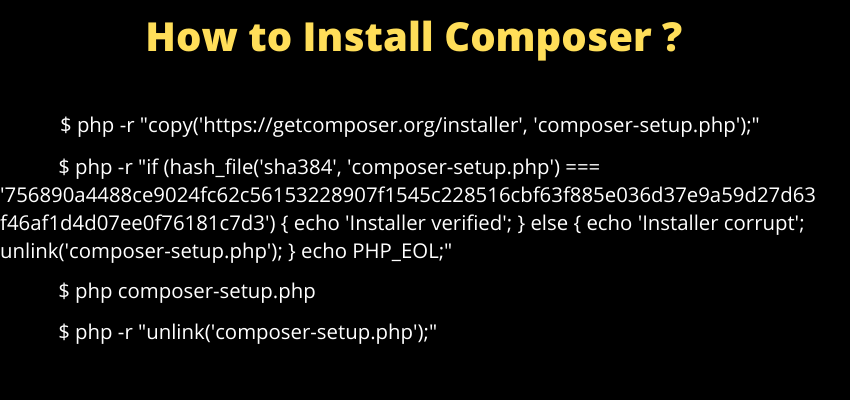
Composer is PHP's dependency manager — it reads a project's composer.json, resolves the versions of every package it declares (and their own dependencies, and theirs), downloads them into vendor/, and generates the autoloader that lets your code simply use a class without manually requiring its file.
Why PHP needed this
Before Composer became the standard, PHP projects manually downloaded libraries or used framework-specific package systems that didn't interoperate — Composer's composer.json/Packagist ecosystem gave the language one common way to declare and install dependencies that any package can participate in, which is exactly what made the modern PHP package ecosystem (and frameworks like Laravel, which depend on dozens of Composer packages) practical.
Installing Composer on Linux or macOS
php -r "copy('https://getcomposer.org/installer', 'composer-setup.php');"
php composer-setup.php
php -r "unlink('composer-setup.php');"
sudo mv composer.phar /usr/local/bin/composer
Moving the resulting composer.phar into a directory already on your system PATH (like /usr/local/bin) is what lets you run composer as a plain command from anywhere, instead of always needing php composer.phar.
Installing Composer on Windows
The official Composer-Setup.exe installer (from getcomposer.org) handles this automatically on Windows, detecting your PHP installation and adding Composer to your system PATH as part of the install wizard.
Verifying the installation
composer --versionThe two core commands
composer install   # installs exact versions from composer.lock
composer update    # re-resolves and updates dependencies per composer.json's constraints
This distinction matters: install is what you run when cloning an existing project (or deploying it) to get the exact locked versions everyone else on the project is using — update is what you run deliberately when you want to pull in newer versions within your declared constraints.
composer.json vs. composer.lock
composer.json declares your dependencies and their allowed version ranges (what you write); composer.lock records the exact resolved versions actually installed (what Composer generates) — committing composer.lock to version control ensures every environment (your machine, a teammate's, the production server) installs the identical dependency versions rather than potentially different ones within the same declared ranges.
Requiring a new package
composer require guzzlehttp/guzzleThis adds the package to composer.json, resolves and downloads it into vendor/, and updates composer.lock — all in one command.