
Flutter's Navigator handles moving between screens, passing data forward when navigating, and — less obviously — passing a result back when a screen is popped, which is genuinely useful for refreshing a previous screen after an action completes.
Basic navigation to a new screen
Navigator.push(
  context,
  MaterialPageRoute(builder: (context) => const DetailScreen()),
);
Passing parameters to the new screen
Navigator.push(
  context,
  MaterialPageRoute(
    builder: (context) => ProductDetailScreen(productId: product.id),
  ),
);
class ProductDetailScreen extends StatelessWidget {
final int productId;
const ProductDetailScreen({super.key, required this.productId});
@override
Widget build(BuildContext context) {
return Scaffold(body: Text('Product ID: $productId'));
}
}Passing data this way — as a constructor parameter on the destination widget — is the most straightforward approach for a value only the new screen itself needs, without requiring a separate routing/parameter-parsing system.
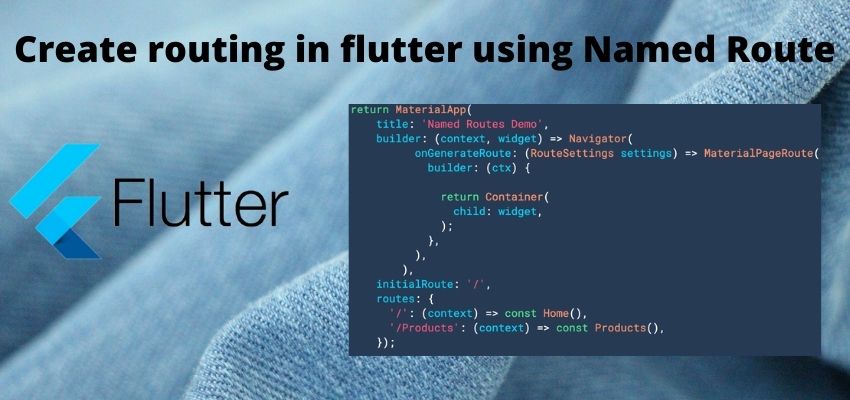
Using named routes with arguments instead
MaterialApp(
  routes: {
    '/product-detail': (context) => const ProductDetailScreen(),
  },
);
Navigator.pushNamed(
context,
'/product-detail',
arguments: product.id,
);final productId = ModalRoute.of(context)!.settings.arguments as int;Named routes decouple navigation calls from directly importing the destination widget's class — a genuinely useful pattern in a larger app with many screens, though the argument itself needs an unsafe cast back to its expected type on the receiving end, unlike the constructor-parameter approach above.
Going back to the previous screen
Navigator.pop(context);Returning a result to the previous screen
// On the screen being popped
Navigator.pop(context, true); // true = "an item was added"
// On the screen that pushed it, awaiting the result
final result = await Navigator.push(
context,
MaterialPageRoute(builder: (context) => const AddItemScreen()),
);
if (result == true) {
_refreshList();
}Awaiting the result of Navigator.push() and checking the value passed to the destination screen's Navigator.pop() call is the standard Flutter pattern for refreshing a list after an add or edit screen closes — no separate state management solution is needed just for this specific "did something change" signal.
Listening to route changes with a NavigatorObserver
class MyRouteObserver extends NavigatorObserver {
  @override
  void didPop(Route route, Route? previousRoute) {
    print('Popped back to: ${previousRoute?.settings.name}');
  }
}
MaterialApp(
navigatorObservers: [MyRouteObserver()],
);A NavigatorObserver is useful for cross-cutting concerns that need to react to every navigation event app-wide — logging screen views for analytics, or triggering a data refresh whenever the user navigates back to a specific screen, regardless of which screen they came from.
Removing all previous routes when navigating (for a logout flow)
Navigator.pushAndRemoveUntil(
  context,
  MaterialPageRoute(builder: (context) => const LoginScreen()),
  (route) => false,
);
pushAndRemoveUntil with a predicate that always returns false clears the entire navigation stack before pushing the new screen — the correct pattern for a logout flow, where the user shouldn't be able to press back and return to authenticated screens.